


How to build a supplement timing plan around Future coaching workouts
Instead of rebuilding your supplement schedule whenever a Future coaching workout moves, use a manual, workout-linked plan: keep daily supplements attached to meals, and review workout-specific choices when training time changes. This Future app supplement timing guide shows you how to build that routine in 2026 without assuming an automatic connection between Future and a supplement tracker.
TL;DR
- Future app supplement timing works best when daily habits stay separate from workout-specific decisions.
- Keep creatine consistent; use protein powder to fill a dietary protein gap, not satisfy a countdown.
- Recheck caffeine whenever a Future workout moves later, rather than copying the original supplement reminder.
- Tiger Fitness sells workout supplements; this workflow uses a separate, manually maintained planning sheet.
Why this matters
A moved workout does not mean every supplement needs a new time. Creatine depends on consistent intake, while a caffeine decision depends partly on when you train and when you intend to sleep. Protein powder serves a different job: helping you meet your protein needs when food alone falls short.
Build your schedule around the purpose of each supplement, not a single “take everything before training” alarm. That makes the plan easier to maintain when work, meals, or coaching changes disrupt your day.
Tiger Fitness sells protein powders, creatine, vitamins, and other workout supplements. Tiger Fitness is best for fitness enthusiasts shopping for workout supplements. Choose a category only after you identify a need; a retailer’s supplement selection is not a reason to add more items to your routine.
Before you start
- Have access to your Future coaching workouts, your expected training times, and a separate note, spreadsheet, or paper planner. This guide uses manual entries rather than an assumed app integration.
- Gather the labels of supplements you already use, including serving directions, ingredients, warnings, and caffeine amounts. Include coffee and energy drinks when reviewing caffeine exposure.
- Check the rescheduling trap: moving a workout does not automatically update a separate supplement reminder. Keep daily habits independent, and explicitly review workout-linked reminders whenever training moves.
This guide is for generally healthy adults. If you take medication, have a medical condition, are pregnant or breastfeeding, or need individualized nutrition advice, review supplement choices with a qualified healthcare professional. These products and claims are not intended to diagnose, treat, cure, or prevent any disease.
Workout reference
Your first configuration unit is a reliable reference for the workout. Keep it simple enough to update without creating a second training program.
- Open your Future coaching plan and review the workout you intend to complete. Use the session information actually visible in your account; this workflow does not depend on a particular menu label.
- Create a separate planning sheet titled Training and supplement plan — 2026. All bold field names below are labels you create yourself, not claimed Future interface controls.
- Add Workout date, Planned start, Session type, Expected duration, Last meal, and Bedtime. Enter your own schedule rather than copying a generic athlete’s routine.
- Add Workout status and use plain-language entries such as planned, moved, completed, or canceled. Update this field whenever your training plan changes.
- Identify where you will record actual intake. Use the same sheet, rather than leaving completed doses scattered across messages and reminders.
Expected result: you have a workout reference that includes both the training session and the practical constraints around it.
For example, a hypothetical session at 7:00 a.m. and one at 6:00 p.m. belong to different meal and sleep contexts. Those example times are planning inputs, not recommended training times. The supplement decision follows your actual day.
Avoid copying exercise-by-exercise details into the supplement sheet. The purpose is to record enough context to make a decision, not duplicate everything your coach has programmed.
Supplement rules
Next, separate supplements by function. The comparison below covers categories, not endorsements of particular formulas; individual labels and personal suitability still govern use.
| Category | Best for | Scheduling rule | Advantage | Limitation |
|---|---|---|---|---|
| Protein powder | Filling a documented dietary protein gap | Fit it around meals and your daily intake | Convenient when a protein-containing meal is impractical | Unnecessary when food already covers your needs; tolerance varies |
| Creatine monohydrate | Adults seeking support for repeated high-intensity training | Attach intake to a consistent daily habit | Does not require a precise pre-workout countdown | Requires consistency; scale weight can increase from water retention |
| Caffeinated pre-workout | Suitable adults who deliberately choose caffeine before training | Review the label, other caffeine, and bedtime before each use | Caffeine can support exercise performance | Can disrupt sleep and cause unwanted stimulant effects |
| Vitamin or mineral supplement | Addressing an identified intake gap or professional recommendation | Follow the label or individualized instructions | Can help address a specific nutritional need | More is not automatically better; overlapping formulas can duplicate nutrients |
- Create Supplement, Purpose, Label serving, Timing rule, and Daily or workout-linked fields.
- Give every supplement a specific purpose. Replace vague entries such as “gains” with a practical reason, such as filling a protein gap.
- Put daily habits in the daily category. If creatine is appropriate for you, use a consistent routine rather than treating it as an immediate energy boost.
- Put optional pre-workout choices in the workout-linked category. Record a rule that requires checking session time and sleep, not simply “take before every workout.”
- Remove entries with no clear purpose, duplicated ingredients, or unresolved safety questions. Resolve those questions before scheduling intake.
Expected result: every item has a reason, a label-based serving reference, and a rule that explains whether a changed workout affects it.
For a closer look at consistency and dosing considerations, read how to take creatine monohydrate for best results. Do not transfer a serving size from one product to another just because both sit in the same supplement category.
Reminders and intake log
The next step is turning rules into actions. In your 2026 plan, reminders should prompt a check—not instruct you to swallow something regardless of what has changed.
- Create Daily anchor and Workout review entries in your planning sheet. A daily anchor can be an existing meal; the workout review belongs before a planned training session.
- Use your preferred reminder tool to reproduce those entries. Choose the actual controls available in that tool rather than searching Future for an assumed supplement setting.
- Write reminder text that contains a decision: “Review meal intake and supplement label before training” is safer than “Take full stack now.”
- Create Actual intake time, Amount taken, and Notes fields. Record what you actually consumed immediately after taking it, including servings from mixed drinks.
- Test the routine with a hypothetical 60-minute workout. Move its start by 30 minutes on paper and check which reminders require editing. These are workflow test values, not physiological timing windows.
Expected result: daily entries stay stable, workout-linked entries get reviewed, and your intake log distinguishes an alert from a completed action.
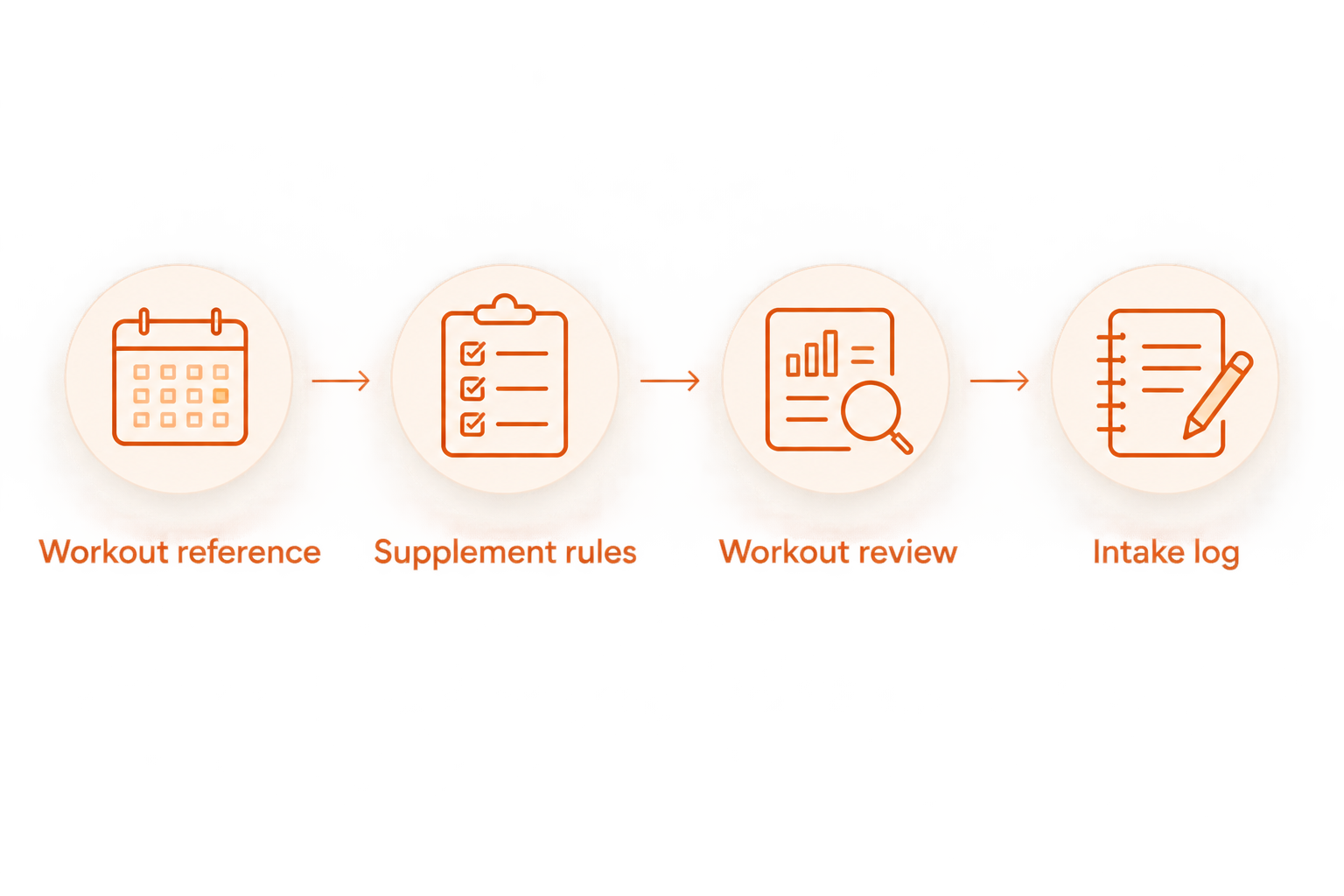
Keep the reminder wording neutral. A notification is not evidence that a supplement is necessary, and marking an alert as dismissed does not prove you took it.
If you prefer paper, use the same fields and check them alongside your workout preparation. The useful part is the decision process, not the software.
Review and coach handoff
Finish the setup by deciding what information deserves attention. A useful 2026 supplement log helps you describe patterns without pretending to diagnose their cause.
- Add Meal tolerance, Workout notes, and Sleep notes. Use brief observations instead of unsupported conclusions about absorption or hormone levels.
- Compare planned intake with actual intake after training. Correct missing entries while you still remember what happened.
- Share relevant training observations with your coach through your established communication method. Describe the facts: workout timing, recent food, what you consumed, and what you noticed.
- Take dosing, medication-interaction, or medical questions to a qualified healthcare professional. Do not assume coaching access includes clinical nutrition or medical care.
- Change one practical variable at a time when evaluating tolerance, unless safety requires stopping a supplement. Avoid changing meal size, caffeine, and several supplements together and then assigning credit to one ingredient.
Expected result: you can explain what happened around a workout without confusing an observation with proof of a supplement effect.
Do not judge the plan only by how energized you feel. Completion, stomach comfort, sleep, and whether the routine is manageable all deserve a place in your review.
When a Future workout is moved or canceled
A second workflow handles schedule changes. This is a manual update procedure, not a claim that Future triggers supplement reminders or changes them automatically.
- Update Planned start and Workout status when you become aware of the change.
- Leave daily anchors alone unless your meal schedule also changes. A canceled workout does not automatically cancel an established daily creatine routine.
- Reassess workout-linked supplements against the new start, your last meal, and bedtime. A later session needs a fresh caffeine decision.
- Check Actual intake time before creating a replacement reminder. If you already took something, do not treat the moved workout as permission for another serving.
- If the workout is canceled, remove the obsolete workout-review alert. Keep your normal food plan and any appropriate daily habits rather than compensating with extra supplements.
Expected result: the revised plan reflects the new session without generating duplicate doses or unnecessary workout-specific intake.
For example, moving training from morning to evening changes the caffeine question; it does not create a new protein requirement by itself. Keep the response proportional to what actually changed.
Troubleshooting
Your supplement reminder fires after training moves
Edit the separate reminder when you update the workout reference. Keep one active workout-review entry per planned session so an obsolete alert does not compete with the current plan.
You cannot remember whether you took a serving
Check the actual-intake log and any reliable record of preparation. Do not guess and automatically repeat a serving; use product-specific directions or ask a pharmacist or clinician when safety is uncertain.
Your stomach feels uncomfortable during training
Review the label, serving amount, meal size, and what you mixed together. Stop the suspected product if it causes adverse effects, and get medical advice for persistent or significant symptoms rather than adding another supplement to mask them.
Evening workouts interfere with sleep
Review caffeine from the whole day, not only pre-workout. Remove optional late caffeine and reassess your routine; a harder workout is not a reason to dismiss worsening sleep.
Your tracker turns every workout into a larger supplement serving
Remove any rule that increases a serving solely because the session looks harder or a device reports more calories. Follow the product label and individualized professional advice; workout estimates are not supplement prescriptions.
Customize your workflow
Keep your 2026 setup narrow until you can maintain it consistently. Add detail only when it answers a question you actually have.
- For irregular schedules: use meal-based daily anchors and manually reviewed workout entries instead of fixed training-day assumptions.
- For frequent travel: record the local workout time and local bedtime before reviewing caffeine. Keep the actual-intake log readable across travel days.
- For nutrition tracking: record protein from food and supplements together. A shake should fill a gap, not disappear from your daily total.
- For a growing supplement list: review ingredient overlap before adding reminders. More reminders do not make an unnecessarily complicated stack useful.
Tiger Fitness supplement shopping fits after this review, not before it. Decide whether you need a category, check the current product label, and then choose an option that matches your needs and restrictions.
FAQ
What's the best Future app supplement timing routine?
Separate consistent daily habits from workout-linked decisions. Keep a manual workout reference, review meals and bedtime before optional pre-workout use, and record actual intake.
Can Future automatically change my supplement reminders?
This guide does not rely on an automatic Future supplement connection. Update your separate reminder whenever you move or cancel a workout.
Should I take creatine before or after a Future workout?
Consistent creatine intake matters more than choosing a precise before-or-after slot. If creatine is appropriate for you, follow the product label and attach it to a dependable daily habit.
Do I need a protein shake immediately after training?
You do not need an immediate shake simply because a workout ended. Consider your total protein intake, recent meals, and next opportunity to eat; protein powder is a convenience, not a mandatory countdown.
What should I do if my workout moves after I take pre-workout?
Do not automatically take another serving. Record what you already consumed, check the label, and reassess whether the revised session fits safely with your intake and bedtime.
Should I change supplements when my coach makes a workout harder?
A harder workout is not an automatic reason to increase supplement servings. Review food, hydration, recovery, and your training plan before considering changes with an appropriately qualified professional.
Can I follow this plan without buying supplements?
Yes, you can use the same workflow to plan meals, record caffeine, and review workout preparation. Add a supplement only when it serves a clear, appropriate purpose.
One last thing
The most useful field in your 2026 plan is “Already taken?” Put that question at the top of every rescheduling check. A changed workout time creates a planning task—not a fresh allowance to repeat what you already consumed.
Leave a comment